
A Voicemod alternative that runs offline, on Linux, with no subscription
People leave Voicemod for different reasons: the subscription, the V3 redesign, log-in outages, needing more than one soundboard, or moving to Linux. Here’s what Simple Voice Changer does about each of them, and what it deliberately doesn’t do.
Why people look
Reading the recent threads: “V3 ruined it for me, what is a better alternative app?”, “alternatives (need more than one soundboard!)”, “renewed my subscription without telling me”, “auth broken”, “no longer connects to servers?”, and from Linux users, “Voicemod alternative for Arch” and “Is Linux support still planned?”. Voicemod’s own help centre lists Linux as “on our roadmap (but not here yet)” (checked 16 Sep 2026).
What Simple Voice Changer does about each
| The reason | What the app does |
|---|---|
| “I don’t want a subscription or an account.” | One-time purchase on Steam. No account, no sign-in, no server. It works with the internet unplugged. |
| “Auth broken / can’t connect to servers.” | There is no server to connect to. Voices, boards and hotkeys are files on your PC. |
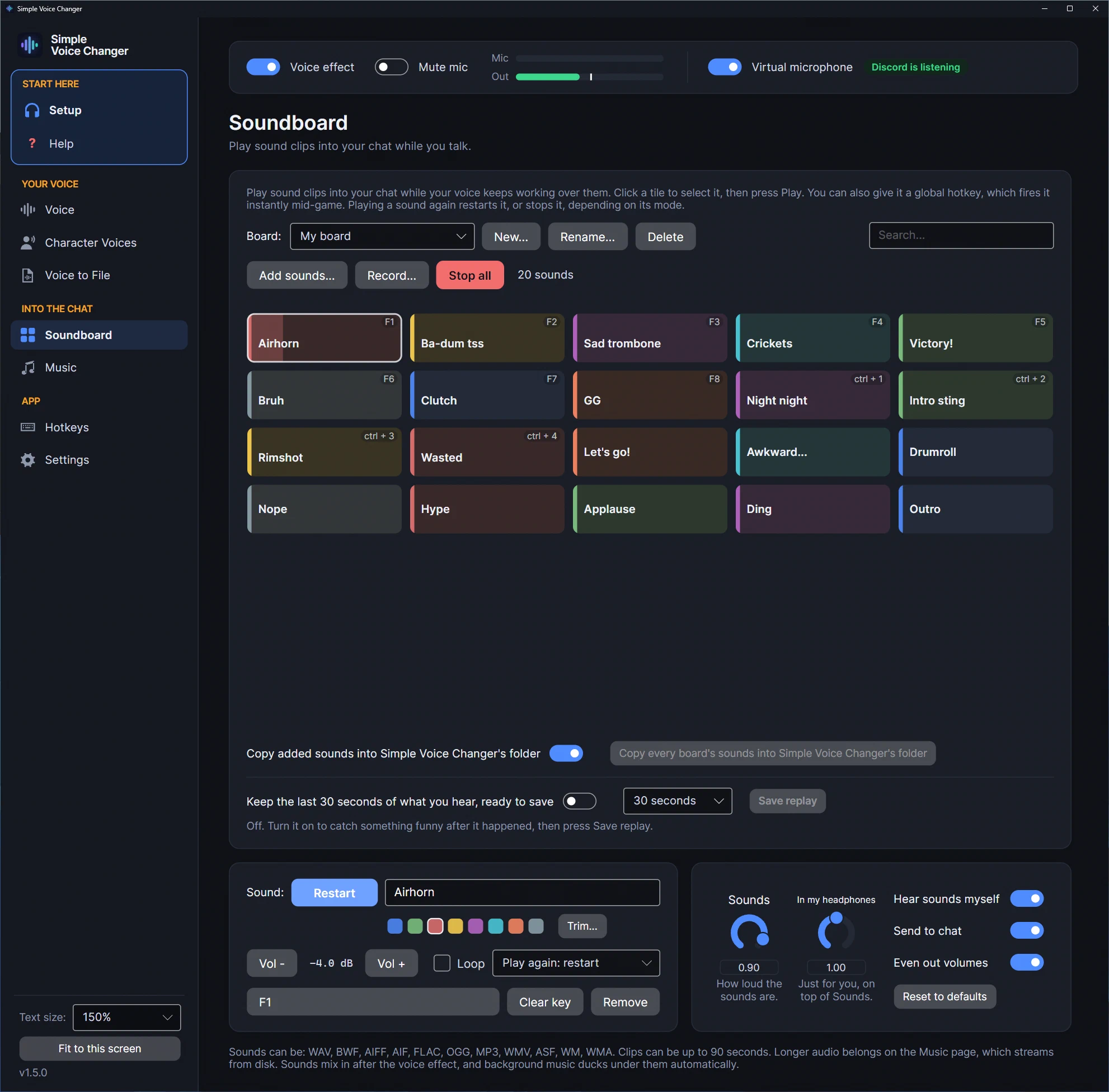
| “I need more than one soundboard.” | Named boards, switched from a dropdown or a hotkey, each with its own tiles; up to 96 sounds per board, clips up to 90 seconds. The same key can play a different sound on each board. |
| “The redesign ruined it.” | A plain sidebar of pages, with Setup at the top. The Voice page shows every voice in one card and a few knobs for the one in use; one switch shows all 34. |
| “I want to hear what I sound like first.” | Record six seconds once, then press play on any voice to hear yourself through it, on your speakers only. |
| “I want a realistic voice, not a robot.” | 200 neural voices, men and women, run by a small neural network on your CPU, offline. No graphics card needed. |
| “I want to sound like a character.” | Character Voices: load an RVC voice model you have (.pth or .zip) and talk through it live. No models are included; a gaming graphics card is recommended. |
| “I’m on Linux or the Steam Deck.” | A native Linux build, neural voices included, that creates its own PipeWire or PulseAudio virtual mic, verified on this site’s Linux machine; see voice changers for Linux. On the Deck, Desktop Mode. |
| “My hotkeys don’t work in games.” | Global hotkeys that still fire while you hold Shift or Ctrl, on the numpad, F13 to F24 or media keys if you like, and push to talk that leaves the game its key. |
| “I want a bitcrusher / 8-bit voice.” | A bitcrush knob and an 8-Bit preset, alongside robot, vocoder, distortion, whisper, growl, echo and reverb. |
| “I play music through my mic and it sounds wrong.” | The Music page mixes tracks in after the voice effect (never pitch-shifted) and ducks them under your speech, and App to Mic does the same for Spotify, a browser or your Discord friends. |
What it deliberately doesn’t do
Simple Voice Changer has no store of licensed or celebrity voices and ships no voices of real people or characters. Its 200 neural voices are anonymous audiobook readers; Character Voices runs RVC models you find yourself, and the app downloads none. If a catalogue of named character voices is what you used Voicemod for, this isn’t a replacement. There’s also no text-to-speech and no macOS version. If you used Voicemod for a voice, a soundboard and music under your voice, on your own machine, it is. The how voice changers work page explains what neural voices and classic effects can and can’t do, so you know before you buy.
Related guides
-
A voice changer without a subscription, an account or a server: what 'buy once' actually gets you
How subscription voice changers are sold, without quoting prices, and what changes in practice when the app is bought once on Steam, runs offline and needs no account: no renewals, no lock-outs, no forced redesigns, your files on your PC. With the honest trade-off.
-
A voice changer for Linux in 2026: native, from Steam, with a soundboard (and no, Voicemod doesn't run here)
Simple Voice Changer is a native Linux voice changer and soundboard sold on Steam: it creates its own PipeWire or PulseAudio virtual microphone with no driver and no root, runs under the Steam Linux Runtime on any current distribution and SteamOS, and was verified on this site's Linux machine.
-
How voice changers work: pitch, formant, robots, neural voices and what each can't do
What a real-time voice changer actually does to your voice: pitch and formant shifting, vocoders, distortion, echo and reverb, and how neural voice conversion differs. How the audio reaches Discord and games on Windows and Linux, how much delay each kind adds, and the honest list of what each can't do.