
A soundboard for Linux and the Steam Deck: Soundpad doesn't run here, so here's one that does
Soundpad users who move to Linux find out fast that it stays behind. Here’s a soundboard that installs from Steam, creates its own virtual microphone, and comes with a voice changer in the same window.
Soundpad on Linux
Soundpad’s Steam store page lists one operating system under system requirements: “Windows 7 or newer”. There is no Linux or macOS section (checked 16 Sep 2026), and the “will there be Linux support?” threads on its Steam forum date back years. Running it under Proton doesn’t help either; the part that puts sounds into the microphone is Windows-specific.
What a Linux soundboard has to do
Any mic-level soundboard has to do three things: create a virtual microphone, mix clips into it alongside your real mic, and fire clips from a hotkey while a game has focus. The third is the hard part on Linux, because Wayland doesn’t let background apps see keystrokes. Simple Voice Changer does all three, and handles the Wayland part through the desktop’s own global shortcuts where it offers them.
The Soundboard, on Linux
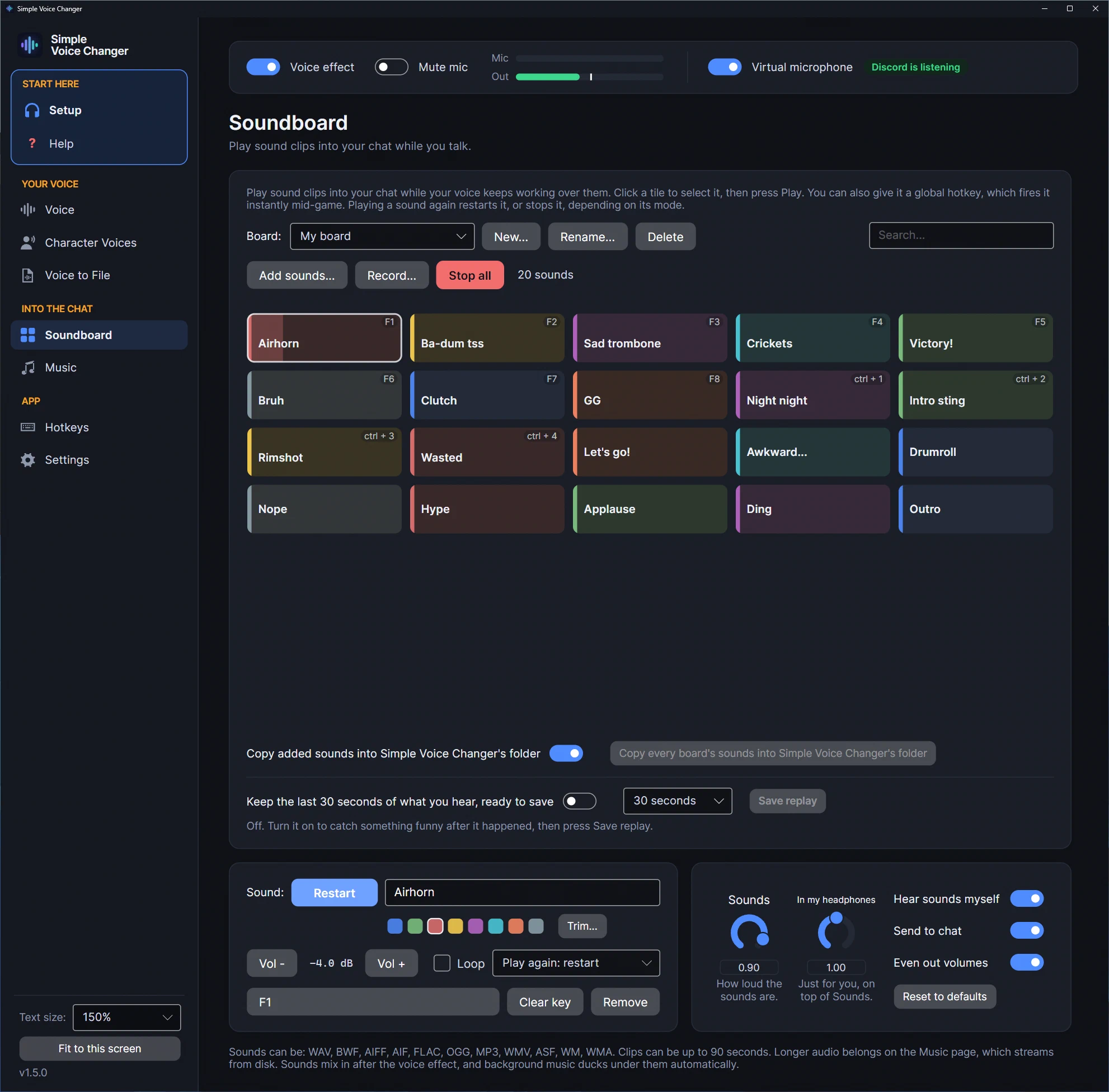
- Tiles and named boards. Up to 96 sounds per board, clips up to 90 seconds, up to 8 playing at once. A second press can restart a sound or stop it; a sound can loop, or play only while you hold its key (“Play while held down”); each has its own colour and volume trim, and Trim… keeps just the part you want. A few original starter sounds ship with it; you add your own WAV, BWF, AIFF, FLAC, OGG or MP3, and the app keeps its own copy so a board doesn’t break when you tidy your files.
- A global hotkey per sound, plus Stop all, Play a random sound, and keys for the previous or next board. A sound’s key plays it while its board is open, so the same key can play a different sound on each board. On KDE Plasma 6 (SteamOS’s Desktop Mode included) and GNOME 48 or later, the hotkeys are registered with the desktop itself, which may ask you once to confirm them. On other Wayland desktops they read
/dev/input, so add your user to theinputgroup (sudo usermod -aG input $USER, then log out and in; the app shows the command); on X11 nothing is needed, and a held key is watched rather than grabbed, so it doesn’t freeze the game’s other keys. - Record and replay. Record a clip of your voice straight onto the board, or keep the last 10 to 60 seconds of what you hear (instant replay, off by default) and save it as a tile. On Linux the replay reads your default output’s monitor through PulseAudio or PipeWire.
- Mixed into the same virtual mic as your voice, after the voice effect, so a clip is never pitch-shifted by whatever voice you’re using, and background music from the Music page ducks under it.
- The virtual mic is automatic. We watched the app create
svc_mic(“Simple Voice Changer Mic”) on this site’s build machine and remove it on quit. No config to maintain. - Even out volumes levels your clips so one loud file doesn’t blow out a call, and In my headphones sets how loud they are for you alone, without changing what the others hear.
Discord and Steam chat
Pick Simple Voice Changer Mic as the microphone in Discord (official app or browser) or in Steam’s voice settings, and set Discord’s Input Profile to Studio: its default Voice Isolation can decide that a sustained clip is background noise and cut it after a fraction of a second. The app’s Setup page walks through it. Pressing a tile is the fastest way to check the route is working: if your friends hear the airhorn, everything is connected.
On the Steam Deck
Same build, installed from Steam, run in Desktop Mode. Steam Input’s desktop layout can map the back buttons to keyboard keys, which should reach the tile hotkeys; we haven’t confirmed it on a Deck yet. Game Mode hasn’t been verified by us; see the SteamOS page.
Etiquette
Read the server’s rules, keep Stop all on a key, level your clips, and don’t use it to harass people. Many servers and games ban soundboards in voice chat and let members report it.
One app, both jobs
The soundboard comes with the voice changer and the music player in the same window, installed from Steam with the virtual mic handled for you, on any distribution with PipeWire or PulseAudio, and on the Deck in Desktop Mode. One-time purchase, no account.
Related guides
-
A voice changer for Linux in 2026: native, from Steam, with a soundboard (and no, Voicemod doesn't run here)
Simple Voice Changer is a native Linux voice changer and soundboard sold on Steam: it creates its own PipeWire or PulseAudio virtual microphone with no driver and no root, runs under the Steam Linux Runtime on any current distribution and SteamOS, and was verified on this site's Linux machine.
-
A virtual microphone on Linux without the setup: how Simple Voice Changer creates and removes it
What a virtual microphone is on PipeWire or PulseAudio, why it usually means maintaining sound-server configuration by hand, and how Simple Voice Changer creates one automatically as your normal user, checks it, and removes it on quit, verified on PipeWire 1.6.